Three winning
strategies,
one upload.
Upload your RFP and proposal template. PropFill fills every section with three strategically distinct versions — Impact, Precision, and Story — so you can compare and pick the one that wins.
No subscription · From $29 · All three Win Themes included
Win Themes
Same template. Three different arguments.
Every proposal layout gets filled three times — with a different strategic lens. Compare opening lines side by side, then download what fits.
Bold vision, decisive action
Large RFPs · Marketing · Competitive pitches
Point-by-point RFP compliance
IT systems · Government · Technical proposals
Empathy first, evidence always
Consulting · Branding · New relationships
How it works
From upload to download in minutes.
Upload your files
Drop your RFP, your proposal template (DOCX), and any company background.
AI analyzes everything
We extract every fill zone from your template and every requirement from the RFP.
Pick your strategy
Choose Impact, Precision, or Story — or get all three and compare side by side.
Download and win
Your original template, filled with proposal-ready content. Three versions, one price.
Features
What you get before you ever pay.
Six things worth knowing about how PropFill works — and why each one exists.
Watch one, or hand over ten
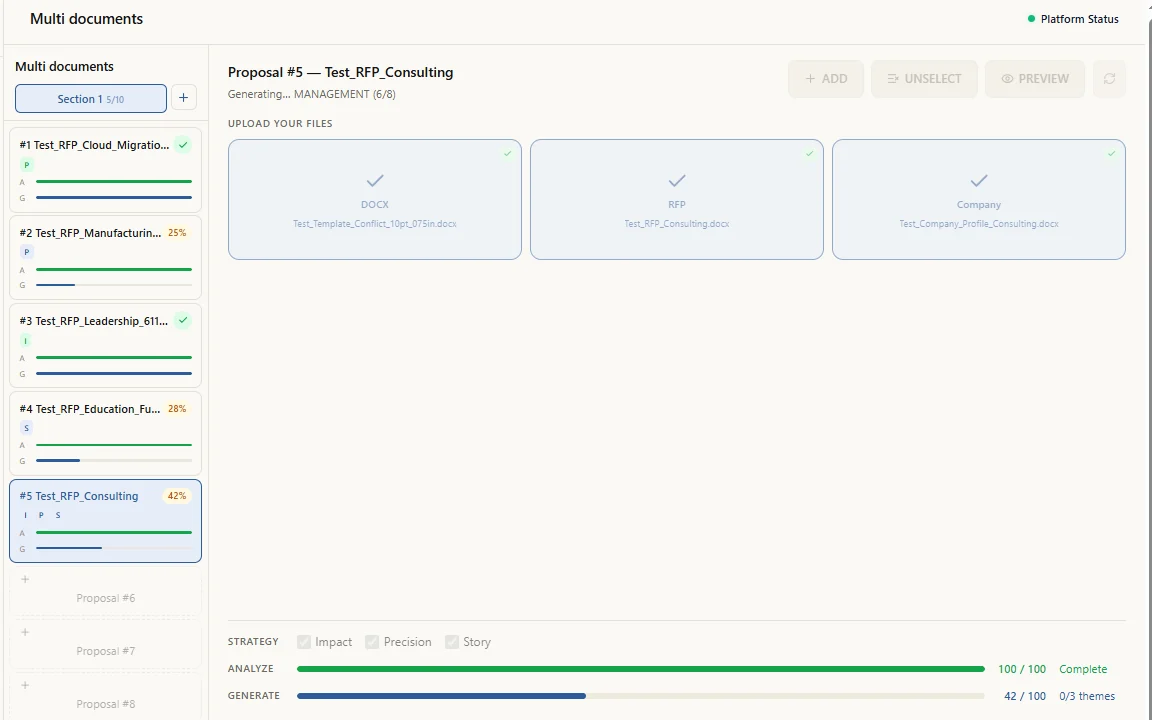
New document walks you through a single RFP, step by step, while you follow along. Multi documents takes up to 10 and runs them without you.
- Upload is the only part that needs you. After that the server carries every job to the end.
- Close the tab, go to a meeting, come back. Finished documents are waiting in Documents.
- Five run at a time; the rest queue behind them.
Three drafts, one proposal
Every proposal is matched with three credits. Spend them on three strategies, or on the same strategy three times — then send the one that reads best.
- Three independent runs beat three edits: a second pass from the same hand is anchored to the first.
- Proposal teams solve this by handing one RFP to three writers. Same separation, minutes instead of weeks.
- Compare requirement reading, compliance coverage and evidence choices side by side.
Picking three strategies happens on one upload. To run the same strategy again, upload the document as a new job and choose that strategy — the credits work out the same either way.
Read: 3 win theme strategies that win government proposals →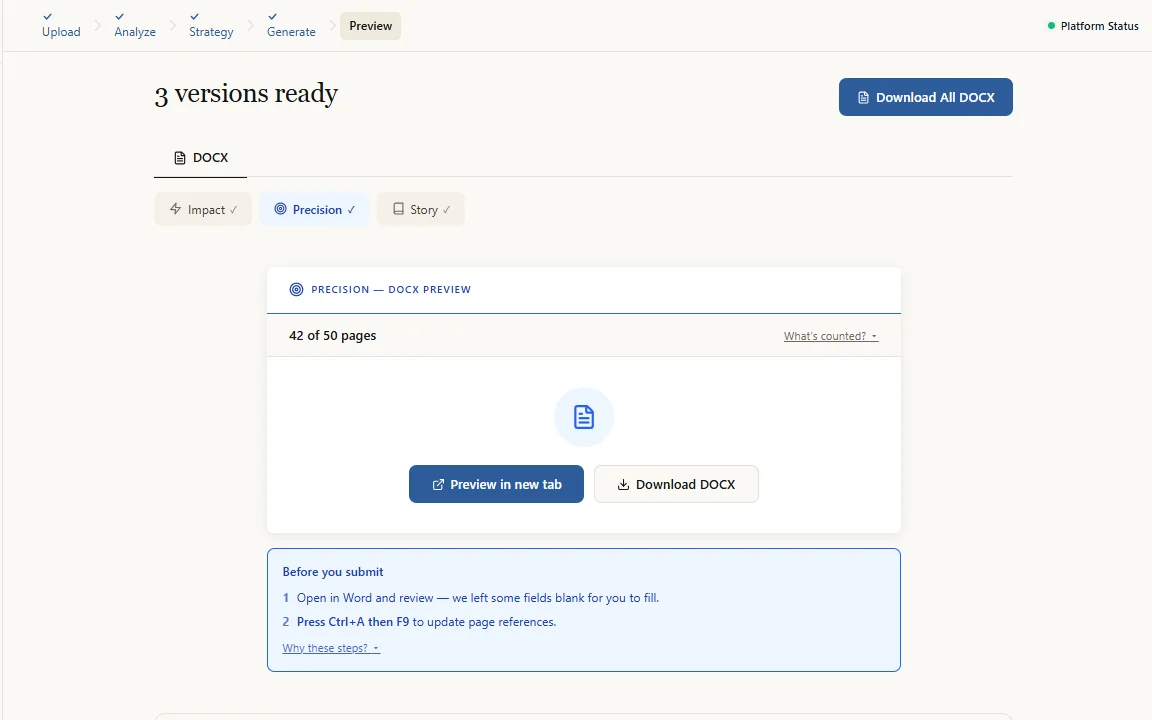
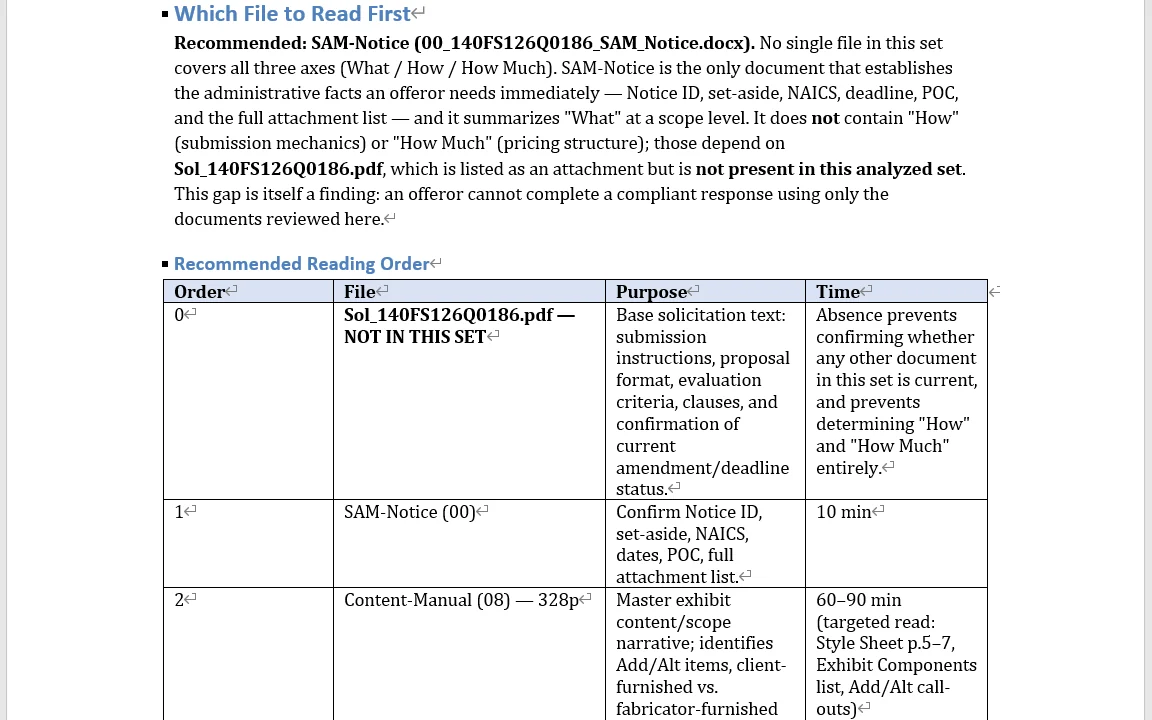
Read every attachment before you bid
Paste the SAM.gov notice, add up to 40 attachments. One analysis document comes back.
- Which file to read first, and in what order.
- Requirements with no submission path.
- Conflicts between documents, before they cost you the bid.
Every requirement traced to a page
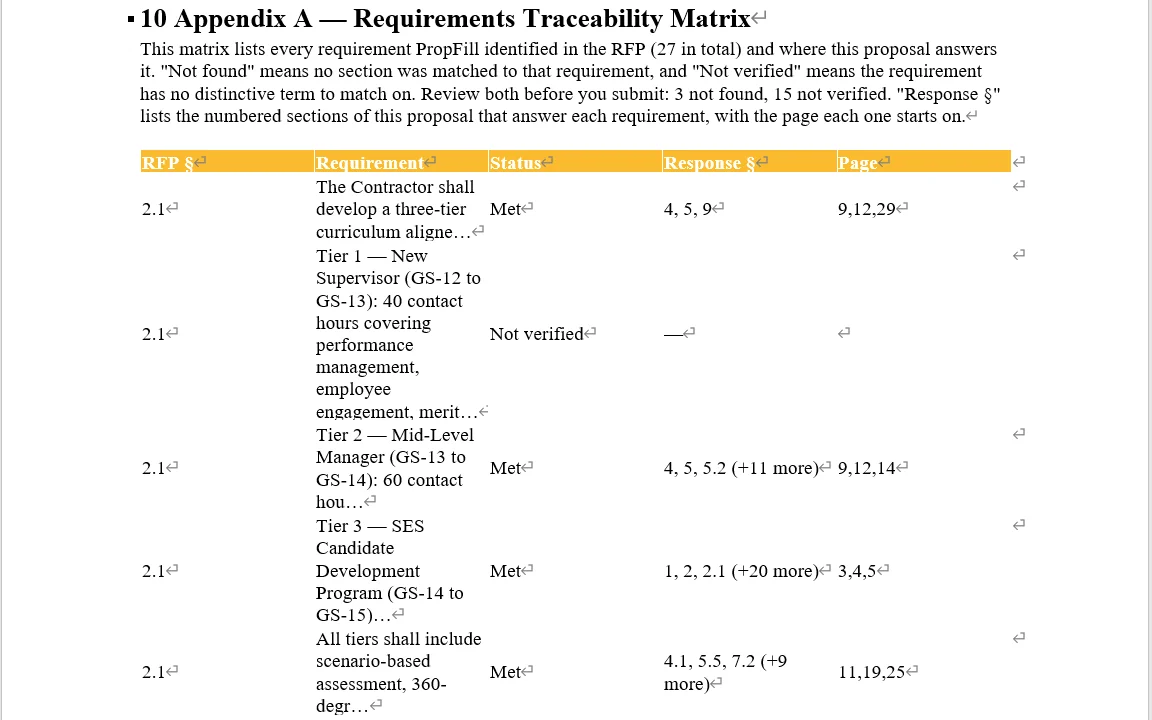
When your RFP is a DOCX or PDF, your proposal ends with Appendix A — each requirement mapped to the section and page that answers it.
- Status reads Met, Not found, or Not verified.
- Built by matching the actual documents — zero AI calls, so nothing in it is invented.
- Find what you missed before an evaluator does.
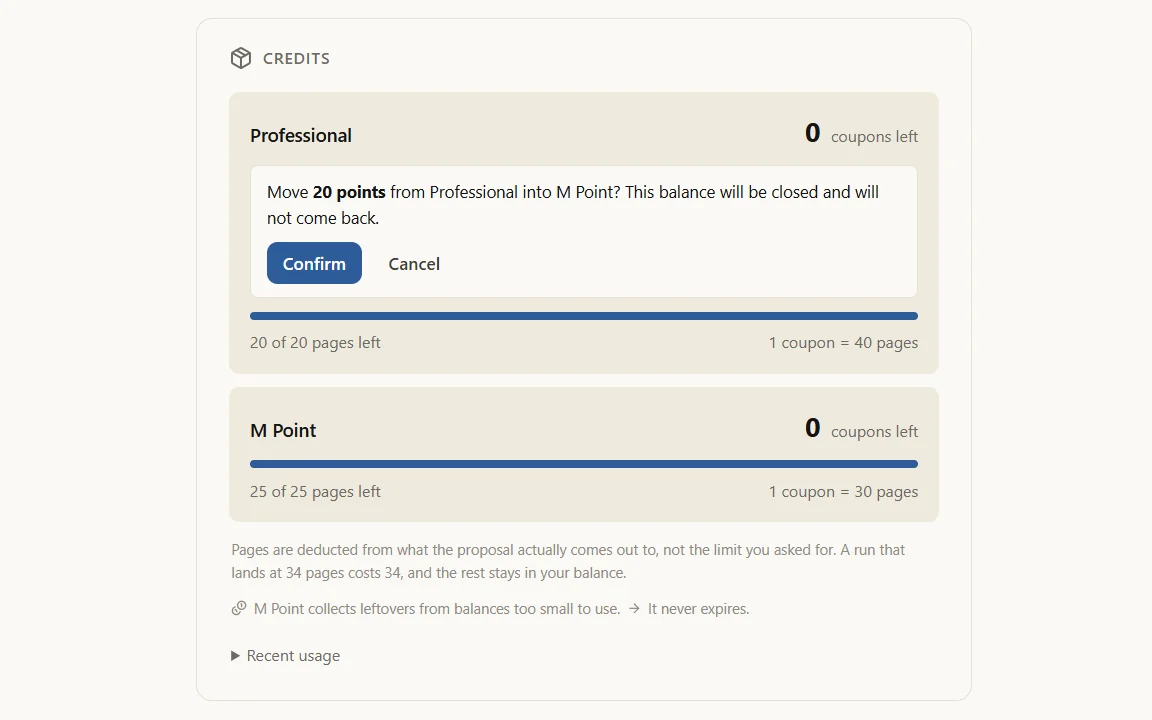
Leftovers keep their value
Balances too small to buy a coupon collect in one M Point wallet that never expires.
- Twenty points left in Professional buys nothing on its own — a coupon there costs 40 pages.
- Move it in one click from Settings, then spend it anywhere.
- New accounts start with 10 points already in the wallet.
Compare the bids before you write one
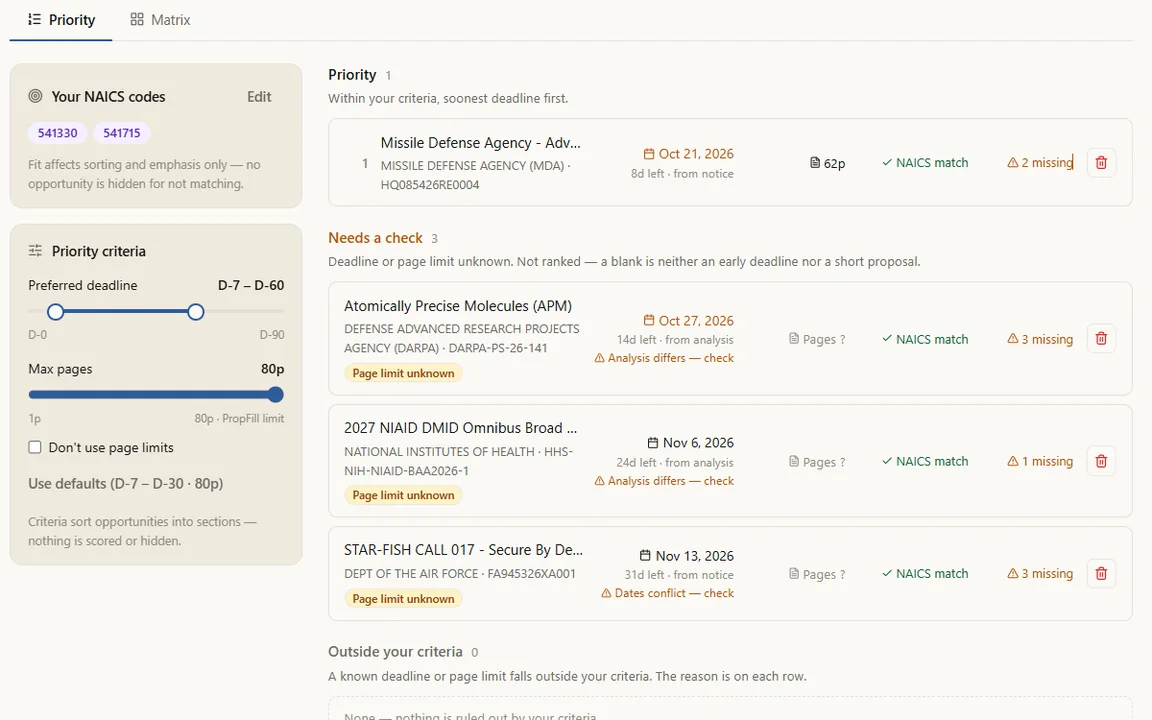
Group opportunities by NAICS code, set what counts as worth your time, and read them side by side — deadline, agency, set-aside, page limit, and what the analysis could not find.
- You set the window — how soon a deadline has to be, and how long a proposal you are willing to write. Opportunities fall into sections against it.
- Nothing is scored and nothing is hidden. What sits outside your window, and what is missing a deadline or a page limit, each lands in its own section with the reason on the row.
- Costs nothing — the comparison reads analyses you have already paid for.
Where the analysis and the SAM notice disagree on a deadline, the row says "Dates conflict — check" and both are shown.
Pricing
Credit-based pricing. No subscription.
Your first proposal is free — no credit card needed.
Starter
Perfect for trying it out or occasional use.
Professional
MOST POPULARFor consultants submitting proposals regularly.
Team
About 10 proposals — best value per page
For teams and agencies who submit regularly.
Included in every plan
One coupon covers one theme — a proposal with three win themes uses three coupons. A longer RFP is not cut short; it simply uses more coupons. You are charged for the pages actually produced.
First proposal is completely free — no credit card required. All plans include the same premium AI.
Why pay $125/month for one draft
when you can pay $29 for three?
Ready to write your best proposal?
Upload once. Get three strategies. Win more.
Start free — no credit card needed →